Raspberry Pi 5 DNS Adblocker & DHCP Server
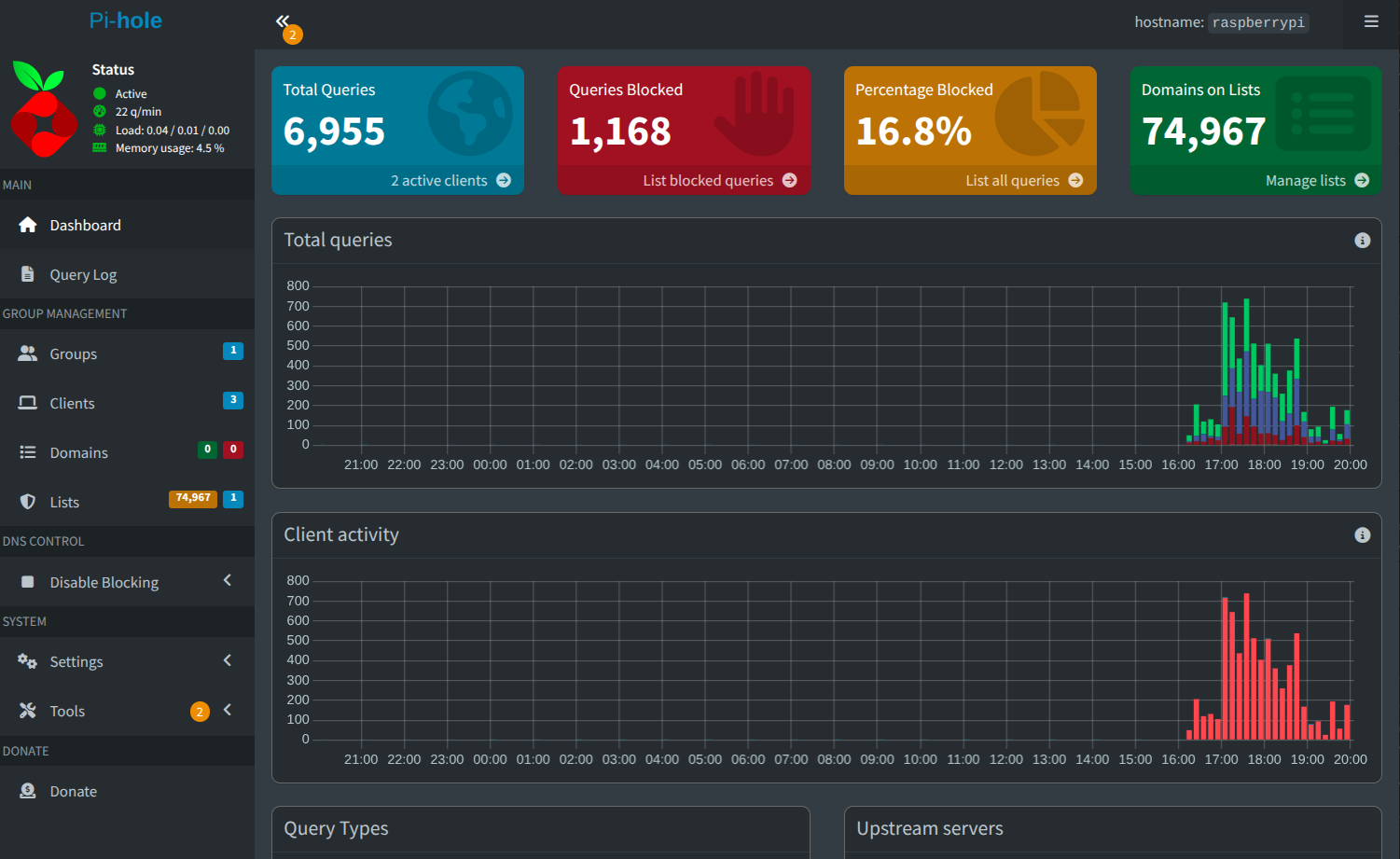
Project Overview
Configured a Raspberry Pi 5 to run as a DNS adblocker for my network, as well as a DHCP server to provide internet to a few devices. This project combines network administration, Linux system configuration, and security best practices.
Technologies Used
- Raspberry Pi 5
- Pi-hole (DNS Adblocker)
- Pi-hole DHCP Server
- Raspbian OS
Implementation Details
This project focused on configuring a Raspberry Pi 5 to act as a centralized DNS adblocker and local DNS server using Pi-hole. The goal was to improve network security, reduce unwanted traffic, and gain hands-on experience with Linux-based network services.
Setup Process
- Installed Raspberry Pi OS Lite to reduce system overhead and improve performance.
- Updated system packages and verified stable network connectivity.
- Assigned a static IP address to ensure consistent DNS availability.
- Installed Pi-hole using the official installation script.
- Enabled the Pi-hole web admin interface for centralized monitoring and management.
Configuration
- Configured Pi-hole as the primary DNS server at the router level.
- Selected upstream DNS providers for external name resolution.
- Applied default and custom blocklists to block ads, trackers, and malicious domains.
- Created local DNS records to resolve internal hostnames.
- Enabled logging and monitoring to analyze DNS queries and blocked requests.
- Secured the admin interface with authentication and access restrictions.
Results
- Successfully blocked ads and trackers across all connected devices at the DNS level.
- Improved network performance by reducing unnecessary external requests.
- Enhanced visibility into network traffic through DNS query logging.
- Achieved stable, low-latency DNS resolution with continuous uptime.
Future Improvements
- Modify the pi into becoming a full Wi-Fi router using a Wi-Fi adapter
- Run a Virtual Private Network through the Wi-Fi it provides to further secure my home network
- Configure to fully run a Minecraft server accessible through port 25565